Extension management
Choose “Management” in the dashboard sidebar to find extensions, edit aliases and remarks, and access sharing and import.
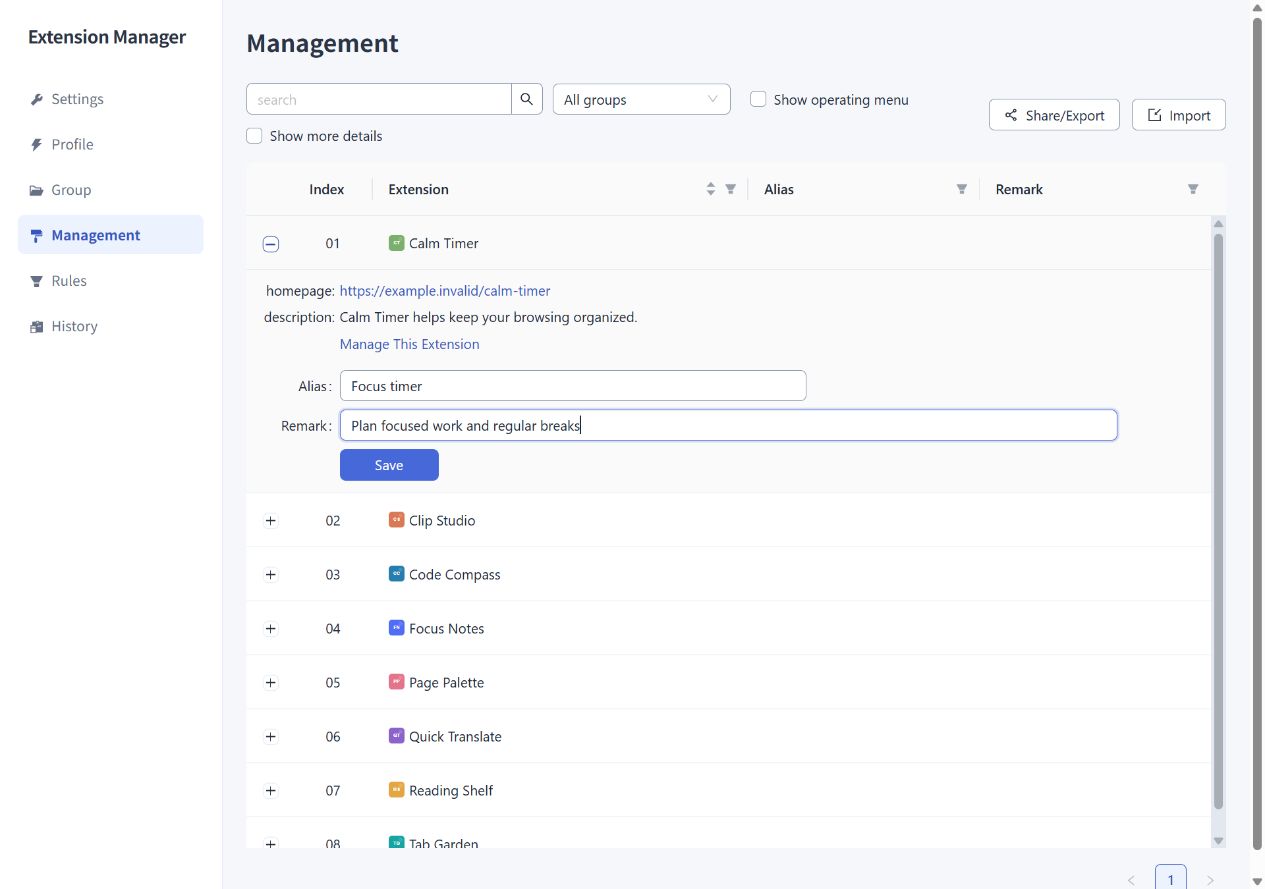
Add an alias or remark
- Find an extension in the table and click its row to expand it.
- Enter an Alias and a Remark. Aliases allow up to 50 characters; remarks allow up to 100.
- Click “Save.” To remove a value, empty its field and save again.
Use an alias for a familiar short name, such as “Screenshot.” A remark can describe the purpose or provide search keywords, such as “full-page capture, annotation, work.” Leading and trailing whitespace is removed when saving.
The Popup and History prefer aliases, while the management table keeps the original extension names for reference. Both aliases and remarks are searchable and can be included in Share/Export. They belong to Extension Manager's configuration and do not rename the extension itself or change its settings.
Search and filter
Search matches names, descriptions, aliases, and remarks. Combine it with the group filter to find extensions within a particular group.
The Alias and Remark columns can filter for entries that have or lack those values. The table initially sorts by original extension name; use sortable column headings to change the order.
View details and operate extensions
Expand a row to see the homepage, description, and a link to the browser's extension management page. Select “Show more details” to also see the ID, version, type, installation method, and recorded installation or update times. Times that have not been recorded may appear as unknown.
Select “Show operating menu” to reveal controls for enabling or disabling, opening extension settings, uninstalling, and opening the homepage. An extension must be enabled before you can open its settings page.
The “Share/Export” and “Import” buttons at the top right work with extension lists. See Sharing and import for the steps. To also back up groups and rules, use configuration export.